.png)
Running Windows Server 2025 workloads on Azure Kubernetes Service
A while ago, support for Windows Server 2025 in the Azure Kubernetes Service (AKS) was announced. Of course, I had to play around with it and in this blog post, I want to show you two scenarios: Running a Nano Server container enhanced by two FODs (see my recent blog post on the topic) and running a Microsoft Dynamics 365 Business Central container.
The TL;DR
To see it for yourself, you can do the following:
- Clone my AKS Windows Server 2025 samples repo
- Run
CreateCluster.ps1to create an AKS cluster with a Windows Server 2025 node pool - Run
kubectl apply -f fod.yamlto deploy the nanoserver container with enabled IIS FOD - Run
kubectl apply -f bc.yamlto deploy the Windows Server 2025 based BC container - Run
kubectl get servicesto get the public IP addresses we need to use. This should give you something like
1
2
3
4
5
kubectl get services
NAME         TYPE           CLUSTER-IP     EXTERNAL-IP     PORT(S)         AGE
bc           LoadBalancer   10.0.245.147   72.144.130.94   443:32055/TCP   15m
iis          LoadBalancer   10.0.36.200    9.141.62.204    80:30936/TCP    3h25m
kubernetes   ClusterIP      10.0.0.1       <none>          443/TCP         7d20h
- Open
http://<external IP of IIS>. In my example above, that would behttp://9.141.62.204. This should give you the default IIS starting page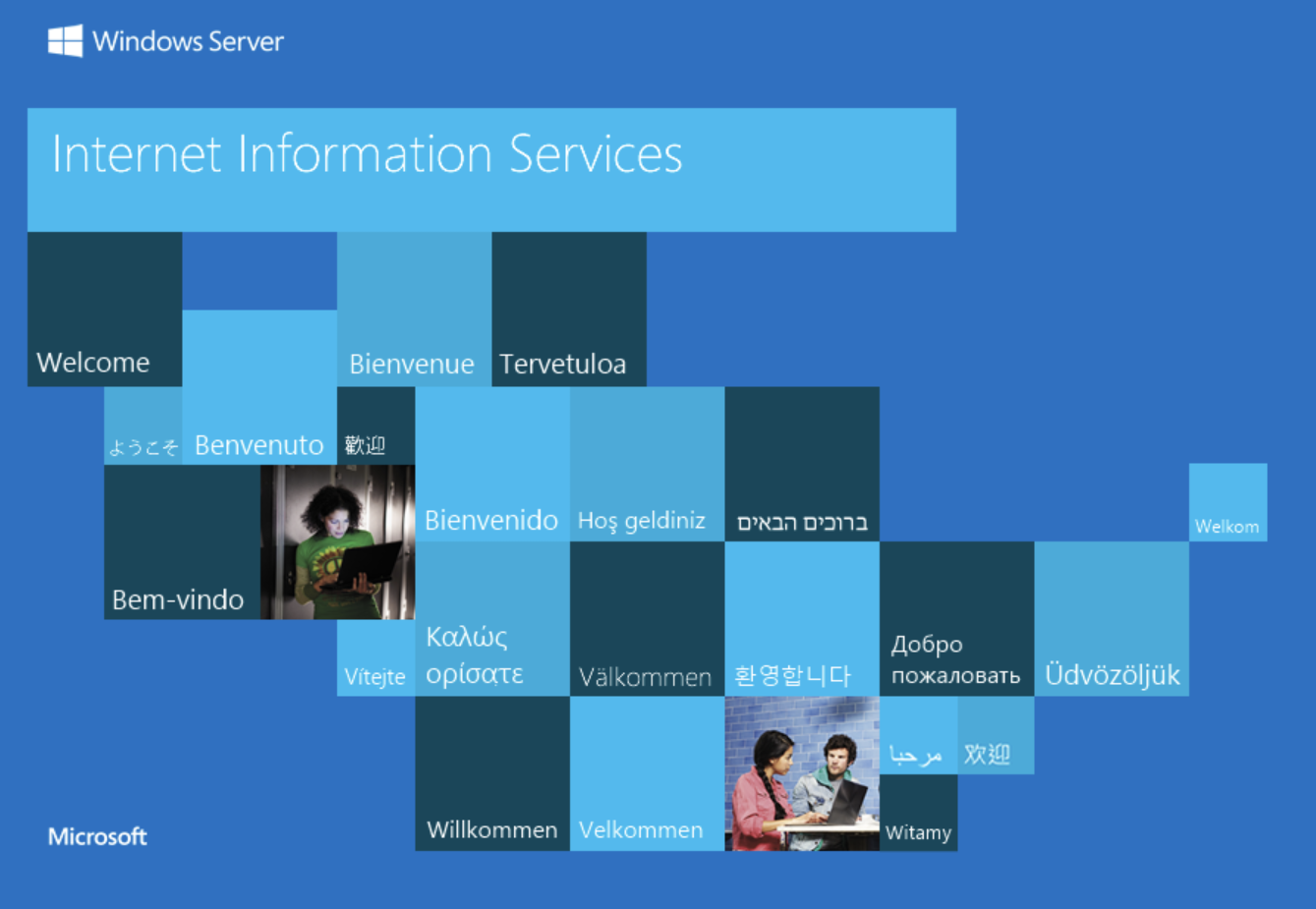
- Open
https://<external IP of BC>/BC?tenant=default. Again, in my example above, this would behttps://72.144.130.94/BC?tenant=default. It uses a self-signed SSL certificate, so you will get a security warning. If you ignore that, you can log in with the user defined in the deployment,tfenster, and the defined passwordSuper5ecret!to access the BC starting page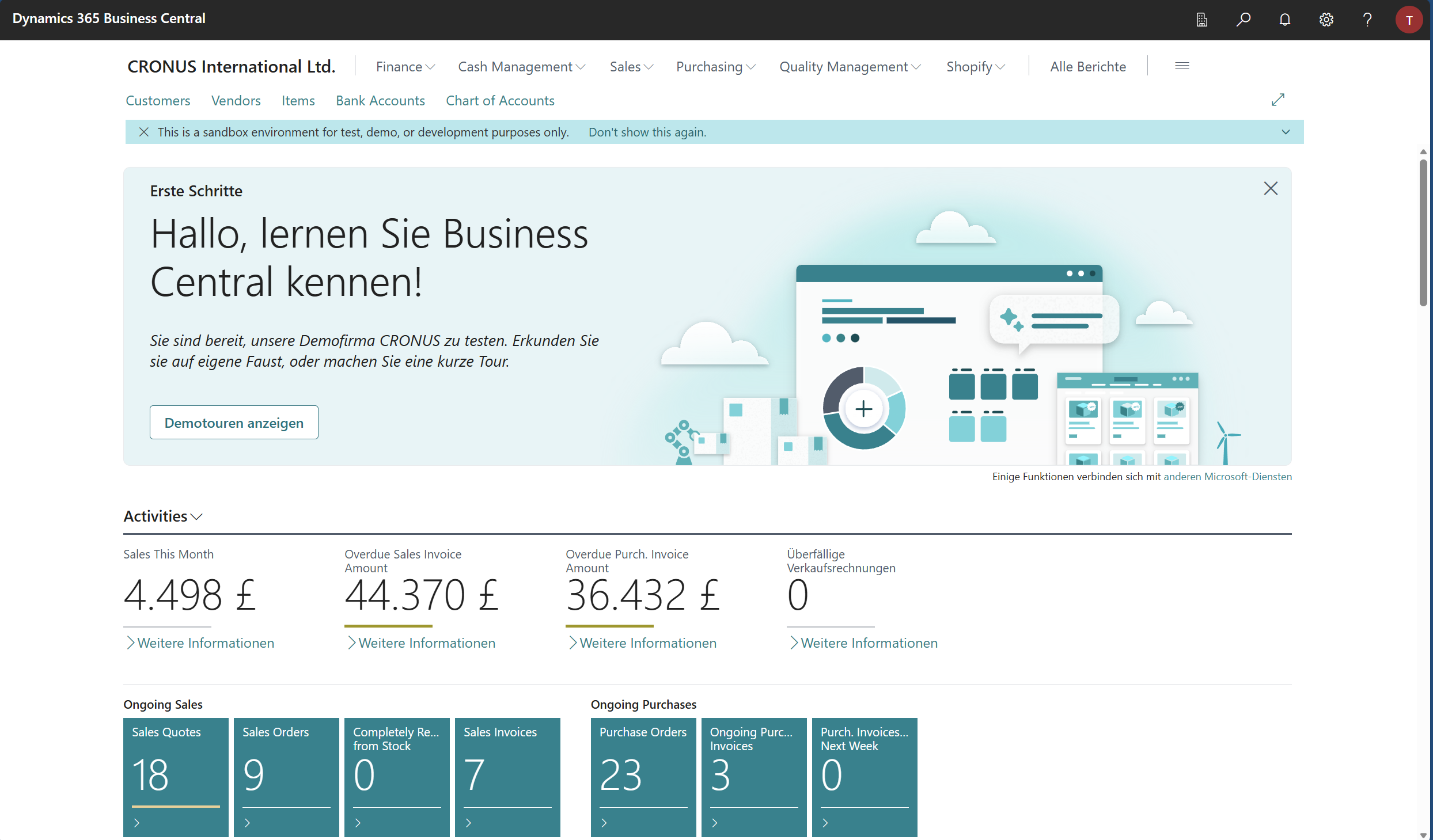
The details: Setting up the cluster
Let’s take a look at what CreateCluster.ps1 does:
1
2
3
4
5
6
7
8
9
10
11
12
13
14
az extension add --name aks-preview
az extension update --name aks-preview

az feature register --namespace "Microsoft.ContainerService" --name "AksWindows2025Preview"
az feature show --namespace Microsoft.ContainerService --name AksWindows2025Preview
az provider register --namespace Microsoft.ContainerService

$name = "akswin2025"
$region = "germanywestcentral"
$vmSize = "Standard_B4ls_v2"
az group create --name $name --location $region
az aks create -g $name -n $name --node-count 1 -s $vmSize --tier free --network-plugin azure --enable-app-routing --no-ssh-key --vm-set-type VirtualMachineScaleSets --network-plugin azure
az aks nodepool add --resource-group $name --cluster-name $name --os-type Windows --os-sku Windows2025 --name npwin --node-count 1 --ssh-access disabled --enable-fips-image
az aks get-credentials --resource-group $name --name $name --overwrite-existing
First, since the feature we want is in preview, we add and potentially update the aks-preview extension to the Azure CLI (lines 1 and 2). Next, we register and show the AksWindows2025Preview feature and register the AKS provider (lines 4-6). Next, we set up the name, region and VM size for the cluster (lines 8-10). After that, we create the resource group and AKS cluster (lines 11 and 12), and then we add the Windows Server 2025 node pool (line 13). Finally, we get the credentials to interact with our cluster via kubectl (line 14). The entire script should produce an output similar to this:
1
2
3
4
5
6
7
8
9
10
11
12
13
14
15
16
17
18
19
20
21
22
23
24
25
26
27
28
29
30
31
32
33
34
35
36
37
38
39
40
41
42
43
44
45
46
47
48
49
50
51
52
53
54
55
56
57
58
59
60
61
62
63
64
65
66
67
68
69
70
71
72
73
74
75
76
77
78
79
80
81
82
83
84
85
86
87
88
89
90
91
92
93
94
95
96
97
98
99
100
101
102
103
104
105
106
107
108
109
110
111
112
113
114
115
116
117
118
119
120
121
122
123
124
125
126
127
128
129
130
131
132
133
134
135
136
137
138
139
140
141
142
143
144
145
146
147
148
149
150
151
152
153
154
155
156
157
158
159
160
161
162
163
164
165
166
167
168
169
170
171
172
173
174
175
176
177
178
179
180
181
182
183
184
185
186
187
188
189
190
191
192
193
194
195
196
197
198
199
200
201
202
203
204
205
206
207
208
209
210
211
212
213
214
215
216
217
218
219
220
221
222
223
224
225
226
227
228
229
230
231
232
233
234
235
236
237
238
239
240
241
242
243
244
245
246
247
248
249
250
251
252
253
254
255
256
257
258
259
260
261
262
263
264
265
266
267
268
269
270
271
272
273
274
275
276
277
278
279
280
281
282
283
284
285
286
287
288
289
290
291
292
293
294
295
296
297
298
299
300
301
302
303
304
305
306
307
308
309
310
311
312
313
314
315
316
317
318
319
320
321
322
323
324
325
326
327
328
329
330
331
332
333
334
335
336
337
338
339
340
341
342
343
344
345
346
347
348
349
350
351
352
353
354
355
356
357
358
359
360
361
362
363
364
365
366
367
368
369
370
371
372
373
374
375
376
377
378
379
380
381
382
383
384
385
386
387
388
389
390
PWSH C:\Users\tobia> az group create --name $name --location $region
{
  "id": "/subscriptions/94670b10-08d0-4d17-bcfe-e01f701be9ff/resourceGroups/akswin2025",
  "location": "germanywestcentral",
  "managedBy": null,
  "name": "akswin2025",
  "properties": {
    "provisioningState": "Succeeded"
  },
  "tags": null,
  "type": "Microsoft.Resources/resourceGroups"
}
PWSH C:\Users\tobia>
PWSH C:\Users\tobia> az aks create -g $name -n $name --node-count 1 -s $vmSize --tier free --network-plugin azure --enable-app-routing --no-ssh-key --vm-set-type VirtualMachineScaleSets --network-plugin azure
Default SSH key behavior will change. When no SSH key parameters are provided, the command will behave as if '--no-ssh-key' was passed instead of failing in next breaking change release(2.80.0) scheduled for Nov 2025.
Argument '--enable-app-routing' is in preview and under development. Reference and support levels: https://aka.ms/CLI_refstatus
The behavior of this command has been altered by the following extension: aks-preview
The new node pool will enable SSH access, recommended to use '--ssh-access disabled' option to disable SSH access for the node pool to make it more secure.
{
  "aadProfile": null,
  "addonProfiles": null,
  "agentPoolProfiles": [
    {
      "artifactStreamingProfile": null,
      "availabilityZones": null,
      "capacityReservationGroupId": null,
      "count": 1,
      "creationData": null,
      "currentOrchestratorVersion": "1.32.9",
      "eTag": "401ba2c0-78b0-4a5e-9679-3579eb7519f3",
      "enableAutoScaling": false,
      "enableEncryptionAtHost": false,
      "enableFips": false,
      "enableNodePublicIp": false,
      "enableUltraSsd": false,
      "gatewayProfile": null,
      "gpuInstanceProfile": null,
      "gpuProfile": null,
      "hostGroupId": null,
      "kubeletConfig": null,
      "kubeletDiskType": "OS",
      "linuxOsConfig": null,
      "localDnsProfile": null,
      "maxCount": null,
      "maxPods": 30,
      "messageOfTheDay": null,
      "minCount": null,
      "mode": "System",
      "name": "nodepool1",
      "networkProfile": {
        "allowedHostPorts": null,
        "applicationSecurityGroups": null,
        "nodePublicIpTags": null
      },
      "nodeCustomizationProfile": null,
      "nodeImageVersion": "AKSUbuntu-2204gen2containerd-202511.07.0",
      "nodeInitializationTaints": null,
      "nodeLabels": null,
      "nodePublicIpPrefixId": null,
      "nodeTaints": null,
      "orchestratorVersion": "1.32",
      "osDiskSizeGb": 128,
      "osDiskType": "Managed",
      "osSku": "Ubuntu",
      "osType": "Linux",
      "podIpAllocationMode": null,
      "podSubnetId": null,
      "powerState": {
        "code": "Running"
      },
      "provisioningState": "Succeeded",
      "proximityPlacementGroupId": null,
      "scaleDownMode": "Delete",
      "scaleSetEvictionPolicy": null,
      "scaleSetPriority": null,
      "securityProfile": {
        "enableSecureBoot": false,
        "enableVtpm": false,
        "sshAccess": "LocalUser"
      },
      "spotMaxPrice": null,
      "status": null,
      "tags": null,
      "type": "VirtualMachineScaleSets",
      "upgradeSettings": {
        "drainTimeoutInMinutes": null,
        "maxBlockedNodes": null,
        "maxSurge": "10%",
        "maxUnavailable": "0",
        "minSurge": null,
        "nodeSoakDurationInMinutes": null,
        "undrainableNodeBehavior": null
      },
      "upgradeSettingsBlueGreen": {
        "batchSoakDurationInMinutes": null,
        "drainBatchSize": null,
        "drainTimeoutInMinutes": null,
        "finalSoakDurationInMinutes": null
      },
      "upgradeStrategy": "Rolling",
      "virtualMachineNodesStatus": null,
      "virtualMachinesProfile": null,
      "vmSize": "Standard_B4ls_v2",
      "vnetSubnetId": null,
      "windowsProfile": null,
      "workloadRuntime": "OCIContainer"
    }
  ],
  "aiToolchainOperatorProfile": null,
  "apiServerAccessProfile": null,
  "autoScalerProfile": null,
  "autoUpgradeProfile": {
    "nodeOsUpgradeChannel": "NodeImage",
    "upgradeChannel": null
  },
  "azureMonitorProfile": null,
  "azurePortalFqdn": "akswin2025-akswin2025-94670b-vqa7xrf8.portal.hcp.germanywestcentral.azmk8s.io",
  "bootstrapProfile": {
    "artifactSource": "Direct",
    "containerRegistryId": null
  },
  "creationData": null,
  "currentKubernetesVersion": "1.32.9",
  "disableLocalAccounts": false,
  "diskEncryptionSetId": null,
  "dnsPrefix": "akswin2025-akswin2025-94670b",
  "eTag": "ced84e53-96a5-4e6c-b33c-d1b732d81f34",
  "enableNamespaceResources": null,
  "enableRbac": true,
  "extendedLocation": null,
  "fqdn": "akswin2025-akswin2025-94670b-vqa7xrf8.hcp.germanywestcentral.azmk8s.io",
  "fqdnSubdomain": null,
  "hostedSystemProfile": {
    "enabled": false
  },
  "httpProxyConfig": null,
  "id": "/subscriptions/94670b10-08d0-4d17-bcfe-e01f701be9ff/resourcegroups/akswin2025/providers/Microsoft.ContainerService/managedClusters/akswin2025",
  "identity": {
    "delegatedResources": null,
    "principalId": "4532f452-5dba-4965-9b9f-20d7d15ce9c5",
    "tenantId": "539f23a3-6819-457e-bd87-7835f4122217",
    "type": "SystemAssigned",
    "userAssignedIdentities": null
  },
  "identityProfile": {
    "kubeletidentity": {
      "clientId": "b37ac7a2-8cf1-4144-af8e-83d73649cb3f",
      "objectId": "44393190-32fe-406a-b7d9-801657bafc14",
      "resourceId": "/subscriptions/94670b10-08d0-4d17-bcfe-e01f701be9ff/resourcegroups/MC_akswin2025_akswin2025_germanywestcentral/providers/Microsoft.ManagedIdentity/userAssignedIdentities/akswin2025-agentpool"
    }
  },
  "ingressProfile": {
    "gatewayApi": null,
    "webAppRouting": {
      "defaultDomain": {
        "enabled": false
      },
      "dnsZoneResourceIds": null,
      "enabled": true,
      "identity": {
        "clientId": "633a3b19-828a-4281-8cd5-c4a29eb143e8",
        "objectId": "a31f7c1d-538c-46ff-a578-75c372f4c433",
        "resourceId": "/subscriptions/94670b10-08d0-4d17-bcfe-e01f701be9ff/resourcegroups/MC_akswin2025_akswin2025_germanywestcentral/providers/Microsoft.ManagedIdentity/userAssignedIdentities/webapprouting-akswin2025"
      },
      "nginx": {
        "defaultIngressControllerType": "AnnotationControlled"
      }
    }
  },
  "kind": "Base",
  "kubernetesVersion": "1.32",
  "linuxProfile": null,
  "location": "germanywestcentral",
  "maxAgentPools": 100,
  "metricsProfile": {
    "costAnalysis": {
      "enabled": false
    }
  },
  "name": "akswin2025",
  "networkProfile": {
    "advancedNetworking": null,
    "dnsServiceIp": "10.0.0.10",
    "ipFamilies": [
      "IPv4"
    ],
    "kubeProxyConfig": null,
    "loadBalancerProfile": {
      "allocatedOutboundPorts": null,
      "backendPoolType": "nodeIPConfiguration",
      "clusterServiceLoadBalancerHealthProbeMode": null,
      "effectiveOutboundIPs": [
        {
          "id": "/subscriptions/94670b10-08d0-4d17-bcfe-e01f701be9ff/resourceGroups/MC_akswin2025_akswin2025_germanywestcentral/providers/Microsoft.Network/publicIPAddresses/9d9a1620-981c-4cb0-aaef-4edcb9ad03ee",
          "resourceGroup": "MC_akswin2025_akswin2025_germanywestcentral"
        }
      ],
      "enableMultipleStandardLoadBalancers": null,
      "idleTimeoutInMinutes": null,
      "managedOutboundIPs": {
        "count": 1,
        "countIpv6": null
      },
      "outboundIPs": null,
      "outboundIpPrefixes": null
    },
    "loadBalancerSku": "standard",
    "natGatewayProfile": null,
    "networkDataplane": "azure",
    "networkMode": null,
    "networkPlugin": "azure",
    "networkPluginMode": null,
    "networkPolicy": "none",
    "outboundType": "loadBalancer",
    "podCidr": null,
    "podCidrs": null,
    "podLinkLocalAccess": "IMDS",
    "serviceCidr": "10.0.0.0/16",
    "serviceCidrs": [
      "10.0.0.0/16"
    ],
    "staticEgressGatewayProfile": null
  },
  "nodeProvisioningProfile": {
    "defaultNodePools": "Auto",
    "mode": "Manual"
  },
  "nodeResourceGroup": "MC_akswin2025_akswin2025_germanywestcentral",
  "nodeResourceGroupProfile": null,
  "oidcIssuerProfile": {
    "enabled": false,
    "issuerUrl": null
  },
  "podIdentityProfile": null,
  "powerState": {
    "code": "Running"
  },
  "privateFqdn": null,
  "privateLinkResources": null,
  "provisioningState": "Succeeded",
  "publicNetworkAccess": null,
  "resourceGroup": "akswin2025",
  "resourceUid": "692b12472e7971000183169c",
  "schedulerProfile": null,
  "securityProfile": {
    "azureKeyVaultKms": null,
    "customCaTrustCertificates": null,
    "defender": null,
    "imageCleaner": null,
    "imageIntegrity": null,
    "kubernetesResourceObjectEncryptionProfile": null,
    "nodeRestriction": null,
    "workloadIdentity": null
  },
  "serviceMeshProfile": null,
  "servicePrincipalProfile": {
    "clientId": "msi",
    "secret": null
  },
  "sku": {
    "name": "Base",
    "tier": "Free"
  },
  "status": null,
  "storageProfile": {
    "blobCsiDriver": null,
    "diskCsiDriver": {
      "enabled": true,
      "version": "v1"
    },
    "fileCsiDriver": {
      "enabled": true
    },
    "snapshotController": {
      "enabled": true
    }
  },
  "supportPlan": "KubernetesOfficial",
  "systemData": null,
  "tags": null,
  "type": "Microsoft.ContainerService/ManagedClusters",
  "upgradeSettings": null,
  "windowsProfile": {
    "adminPassword": null,
    "adminUsername": "azureuser",
    "enableCsiProxy": true,
    "gmsaProfile": null,
    "licenseType": null
  },
  "workloadAutoScalerProfile": {
    "keda": null,
    "verticalPodAutoscaler": null
  }
}
PWSH C:\Users\tobia> az aks nodepool add --resource-group $name --cluster-name $name --os-type Windows --os-sku Windows2025 --name npwin --node-count 1 --ssh-access disabled --enable-fips-image
Argument '--ssh-access' is in preview and under development. Reference and support levels: https://aka.ms/CLI_refstatus
The behavior of this command has been altered by the following extension: aks-preview
{
  "artifactStreamingProfile": null,
  "availabilityZones": null,
  "capacityReservationGroupId": null,
  "count": 1,
  "creationData": null,
  "currentOrchestratorVersion": "1.32.9",
  "eTag": "745d5d2e-c47c-479d-8fdc-98962788f5ca",
  "enableAutoScaling": false,
  "enableEncryptionAtHost": false,
  "enableFips": true,
  "enableNodePublicIp": false,
  "enableUltraSsd": false,
  "gatewayProfile": null,
  "gpuInstanceProfile": null,
  "gpuProfile": null,
  "hostGroupId": null,
  "id": "/subscriptions/94670b10-08d0-4d17-bcfe-e01f701be9ff/resourcegroups/akswin2025/providers/Microsoft.ContainerService/managedClusters/akswin2025/agentPools/npwin",
  "kubeletConfig": null,
  "kubeletDiskType": "OS",
  "linuxOsConfig": null,
  "localDnsProfile": null,
  "maxCount": null,
  "maxPods": 30,
  "messageOfTheDay": null,
  "minCount": null,
  "mode": "User",
  "name": "npwin",
  "networkProfile": {
    "allowedHostPorts": null,
    "applicationSecurityGroups": null,
    "nodePublicIpTags": null
  },
  "nodeCustomizationProfile": null,
  "nodeImageVersion": "AKSWindows-2025-gen2-26100.6905.251027",
  "nodeInitializationTaints": null,
  "nodeLabels": null,
  "nodePublicIpPrefixId": null,
  "nodeTaints": null,
  "orchestratorVersion": "1.32",
  "osDiskSizeGb": 300,
  "osDiskType": "Ephemeral",
  "osSku": "Windows2025",
  "osType": "Windows",
  "podIpAllocationMode": null,
  "podSubnetId": null,
  "powerState": {
    "code": "Running"
  },
  "provisioningState": "Succeeded",
  "proximityPlacementGroupId": null,
  "resourceGroup": "akswin2025",
  "scaleDownMode": "Delete",
  "scaleSetEvictionPolicy": null,
  "scaleSetPriority": null,
  "securityProfile": {
    "enableSecureBoot": false,
    "enableVtpm": false,
    "sshAccess": "Disabled"
  },
  "spotMaxPrice": null,
  "status": null,
  "tags": null,
  "type": "Microsoft.ContainerService/managedClusters/agentPools",
  "typePropertiesType": "VirtualMachineScaleSets",
  "upgradeSettings": {
    "drainTimeoutInMinutes": null,
    "maxBlockedNodes": null,
    "maxSurge": "10%",
    "maxUnavailable": "0",
    "minSurge": null,
    "nodeSoakDurationInMinutes": null,
    "undrainableNodeBehavior": null
  },
  "upgradeSettingsBlueGreen": {
    "batchSoakDurationInMinutes": null,
    "drainBatchSize": null,
    "drainTimeoutInMinutes": null,
    "finalSoakDurationInMinutes": null
  },
  "upgradeStrategy": "Rolling",
  "virtualMachineNodesStatus": null,
  "virtualMachinesProfile": null,
  "vmSize": "Standard_D8d_v5",
  "vnetSubnetId": null,
  "windowsProfile": {
    "disableOutboundNat": null
  },
  "workloadRuntime": "OCIContainer"
}
PWSH C:\Users\tobia> az aks get-credentials --resource-group $name --name $name --overwrite-existing
The behavior of this command has been altered by the following extension: aks-preview
Merged "akswin2025" as current context in C:\Users\tobia\.kube\config
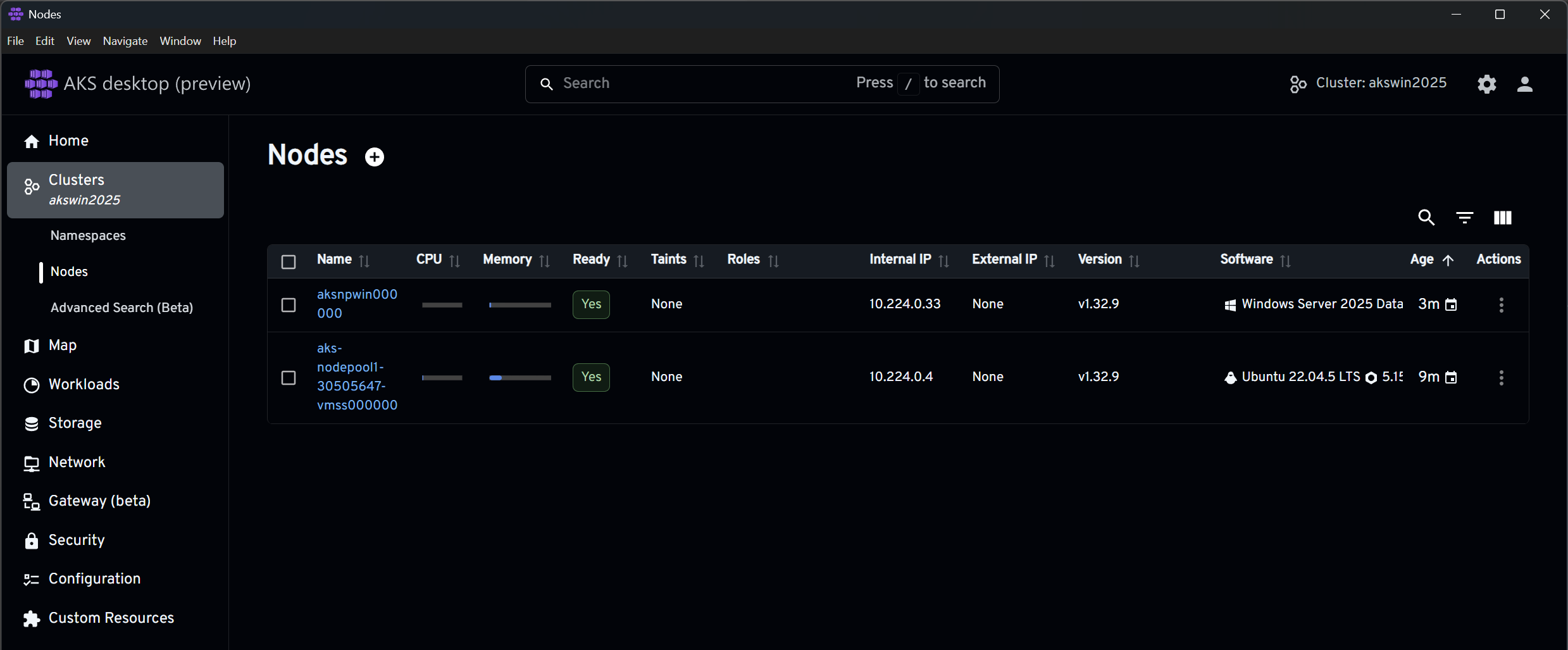
If you then use a tool like AKS Desktop (highly recommended), you should see your cluster including the Windows Server 2025 node:
The details: Creating and deploying the IIS (and SSH client) container image
Creating the container image works very much along the lines of what I showed in my first blog post about FODs: We use a Dockerfile that calls a script to install the FOD. The difference this time is that I also wanted to demonstrate installing a second FOD: the OpenSSH client. The installation process is very similar; basically only the name in line 1 is different, as seen in install_ssh_client.cmd:
1
2
3
4
5
6
DISM /Online /Add-Capability /CapabilityName:Microsoft.NanoServer.OpenSSH.Client /NoRestart
if errorlevel 3010 (
    echo The specified optional feature requested a reboot which was suppressed.
    exit /b 0
)
@echo off
The Dockerfile consequently also needs a reference to that script, as you can see in line 6
1
2
3
4
5
6
7
8
FROM mcr.microsoft.com/windows/nanoserver:ltsc2025
WORKDIR /install
COPY install_*.cmd ./
USER ContainerAdministrator
RUN install_iis.cmd
RUN install_ssh_client.cmd
USER ContainerUser
CMD ["ping", "-t", "localhost"]
A simple docker build -t tobiasfenster/fod:v0.0.6 . followed by a docker push tobiasfenster/fod:v0.0.6 creates and pushes that image. Now, let’s run this in AKS! Before we can do that, however, we need to consider how we want to use the SSH client. In my case, I need a private key to connect. First, I need to make the key available in the AKS cluster using this command:
1
kubectl create secret generic ssh-key-secret --from-file=id_rsa=c:/users/tobia/.ssh/id_azure
Of course, your SSH key most likely won’t be in c:\users\tobia\.ssh\id_azure, so you’ll need to adjust that. With that in place, we can kubectl apply -f .\fod.yaml with the fod.yaml looking like this
1
2
3
4
5
6
7
8
9
10
11
12
13
14
15
16
17
18
19
20
21
22
23
24
25
26
27
28
29
30
31
32
33
34
35
36
37
38
39
40
41
42
43
44
45
46
47
48
49
apiVersion: apps/v1
kind: Deployment
metadata:
  name: iis
  labels:
    app: iis
spec:
  replicas: 1
  template:
    metadata:
      name: iis
      labels:
        app: iis
    spec:
      nodeSelector:
        "kubernetes.io/os": windows
      containers:
      - name: iis
        image: tobiasfenster/fod:v0.0.6
        resources:
          limits:
            cpu: 1
            memory: 800M
        ports:
          - containerPort: 80
        volumeMounts:
        - name: ssh-key-volume
          mountPath: c:/ssh-key
          readOnly: true
      volumes:
      - name: ssh-key-volume
        secret:
          secretName: ssh-key-secret
  selector:
    matchLabels:
      app: iis
---
apiVersion: v1
kind: Service
metadata:
  name: iis
spec:
  type: LoadBalancer
  ports:
  - protocol: TCP
    port: 80
    name: http
  selector:
    app: iis
The first part (lines 1-36) is the deployment which containes the container. The most interesting lines are 18 and 19, which define the container; 15 and 16 which make sure that it ends up on a Windows node; and 26-30 which mount the SSH key into the container. Due to lines 38-49, the container id available via the external IP as explained in the TL;DR. Therefore, this is all that is needed for the IIS part.
Now what if we want to make an outgoing SSH connection? We have the SSH client installed through the FOD, and the private key is available through the secret and volume. However, we must properly define the permissions, otherwise SSH will decline to use the key, displaying an error message such as this:
1
2
3
4
5
6
7
Bad permissions. Try removing permissions for user: NT AUTHORITY\\Authenticated Users (S-1-5-11) on file c:/ssh-key/id_rsa.
@@@@@@@@@@@@@@@@@@@@@@@@@@@@@@@@@@@@@@@@@@@@@@@@@@@@@@@@@@@
@         WARNING: UNPROTECTED PRIVATE KEY FILE!          @
@@@@@@@@@@@@@@@@@@@@@@@@@@@@@@@@@@@@@@@@@@@@@@@@@@@@@@@@@@@
Permissions for 'c:\\ssh-key\\id_rsa' are too open.
It is required that your private key files are NOT accessible by others.
This private key will be ignored.
To fix that, you can run something like
1
2
3
4
5
6
copy c:\ssh-key\id_rsa .

icacls "c:\install\id_rsa" /inheritance:r
icacls "c:\install\id_rsa" /remove "NT AUTHORITY\Authenticated Users"
icacls "c:\install\id_rsa" /remove "BUILTIN\Users"
icacls "c:\install\id_rsa" /grant:r "%USERNAME%:R"
This copies the key to a new folder and fixes the permissions by breaking the inheritance and removing everyone before adding the current user. After that, you should be able to use the key to SSH into a remote machine.
You have now seen how to create and use a Windows Server 2025 Nano Server image to run a container in AKS that serves a webpage through IIS and establishes SSH connections. You might now be wondering which other FODs are available. It’s surprisingly difficult to find out, but you can run a Windows Server 2025 container and query for it like this:
1
2
3
4
5
6
7
8
9
10
11
12
13
14
15
16
17
18
19
20
21
22
23
24
25
26
27
28
29
30
31
32
33
docker run --user ContainerAdministrator -ti mcr.microsoft.com/windows/nanoserver:ltsc2025
Microsoft Windows [Version 10.0.26100.7171]
(c) Microsoft Corporation. All rights reserved.

C:\>DISM /Online /Get-Capabilities /Format:Table

Deployment Image Servicing and Management tool
Version: 10.0.26100.5074

Image Version: 10.0.26100.7171

Capability listing:


---------------------------------------------------- | -----------
Capability Identity                                  | State
---------------------------------------------------- | -----------
Microsoft.NanoServer.ADSI~~~~                        | Not Present
Microsoft.NanoServer.BITS.Admin~~~~                  | Not Present
Microsoft.NanoServer.CommandLine.Utilities~~~~       | Not Present
Microsoft.NanoServer.Datacenter.WOWSupport~~~~       | Not Present
Microsoft.NanoServer.Globalization~~~~               | Not Present
Microsoft.NanoServer.IIS~~~~                         | Not Present
Microsoft.NanoServer.OpenSSH.Client~~~~              | Not Present
Microsoft.NanoServer.OpenSSH.Server~~~~              | Not Present
Microsoft.NanoServer.Performance.Monitoring~~~~      | Not Present
Microsoft.NanoServer.PowerShell.Cmdlets~~~~          | Not Present
Microsoft.NanoServer.RemoteFS.Client~~~~             | Not Present
Microsoft.NanoServer.StateRepository~~~~             | Not Present
Microsoft.NanoServer.WinMgmt.RuntimeDependencies~~~~ | Not Present
Microsoft.NanoServer.WinMgmt~~~~                     | Not Present

The operation completed successfully.
I wouldn’t be able to tell you exactly what those FODs do.
The details: Creating and deploying the BC container image
The second scenario is a Business Central container based on a Windows Server 2025 base image. Since these images are not readily available, you first need the bccontainerhelper PowerShell module. Then, you can run something like this to create the image:
1
New-BcImage -artifactUrl (Get-BCArtifactUrl -type sandbox -country w1 -accept_insiderEula -select NextMajor) -imageName tobiasfenster/mybc -baseImage "mcr.microsoft.com/businesscentral:ltsc2025"
In my case, this gave me the image tobiasfenster/mybc:sandbox-28.0.43121.0-w1-mt. Because of that, we can run a simple deployment to AKS like you see in bc.yaml:
1
2
3
4
5
6
7
8
9
10
11
12
13
14
15
16
17
18
19
20
21
22
23
24
25
26
27
28
29
30
31
32
33
34
35
36
37
38
39
40
41
42
43
44
45
46
47
48
apiVersion: apps/v1
kind: Deployment
metadata:
  name: bc
  labels:
    app: bc
spec:
  replicas: 1
  template:
    metadata:
      name: bc
      labels:
        app: bc
    spec:
      nodeSelector:
        "kubernetes.io/os": windows
      containers:
      - name: bc
        image: tobiasfenster/mybc:sandbox-28.0.43121.0-w1-mt
        ports:
        - containerPort: 443
        env:
        - name: username
          value: tfenster
        - name: password
          value: Super5ecret!
        - name: auth
          value: NavUserPassword
        - name: accept_eula
          value: "y"
        - name: accept_outdated
          value: "y"
  selector:
    matchLabels:
      app: bc
---
apiVersion: v1
kind: Service
metadata:
  name: bc
spec:
  type: LoadBalancer
  ports:
  - protocol: TCP
    port: 443
    name: https
  selector:
    app: bc
As in the previous example, the container is shown in lines 18 and 19, the Windows node selection is shown in lines 15 and 16, and the service that enables incoming traffic is shown in lines 37–48. The BC container has a special username and password setup (lines 23–28) and requires acceptance of the EULA and outdated image (lines 29–32) to run.
Of course, for real dev/test scenarios, you would need much more, but this gives you the basics to see that BC on Windows Server 2025 runs in AKS.
Webmentions:
No webmentions were found.

